

Every product site wants a copilot that actually knows the product. Most teams assume that means a retrieval pipeline, a backend, and a bot that embarrasses them the first week. This is the whole path from having nothing at all.
What a copilot has to know before it can help#
A chat widget is easy. A chat widget that answers correctly about your product is not, and the difference is entirely in what it is allowed to read.
Most site bots search your pages for text that resembles the question and hand it to a model with instructions to be helpful. Resembling is not answering, and a model told to be helpful will bridge the gap by inventing. That is the bot that confidently gives a prospect the wrong limit.
So the work is not the widget. The work is giving it a map of your product, and a rule about what to do when the map has no answer. Here is that path, start to finish.
Step 1: create a workspace#
Go to app.sioma.ai and sign in with Google. A workspace is created for you on the spot. Nothing to install yet, no credit card, and the free tier covers everything in this post.
Step 2: give it your product#
Your copilot answers from what you publish, so this is the step that decides how good it is. Two kinds of material, and most teams want both.
Your API. From your project directory:
npx @sioma/cli scan .
npx @sioma/cli verify .
scan reads your real routes and types (Next.js, express, fastify and hono
today) and writes an openapi.json. It never guesses: what your code does not
declare does not appear. If your stack is not covered, it says so and fails
rather than publishing an empty map, and you can paste an OpenAPI file you
already have in Control room instead.
Your docs. The prose is what turns endpoint shapes into answers people can read:
npx @sioma/cli scan --docs ./docsThen publish. Create a key in Control room under Keys with the publish scope,
and:
export SIOMA_PUBLISH_KEY=...
npx @sioma/cli publish .
npx @sioma/cli publish --spec docs-spec.json --name docs
If you would rather not touch a terminal at all, paste your spec into Control room and publish from there. Either way, publishing is what makes the map servable: registering alone leaves your copilot with nothing to answer from.
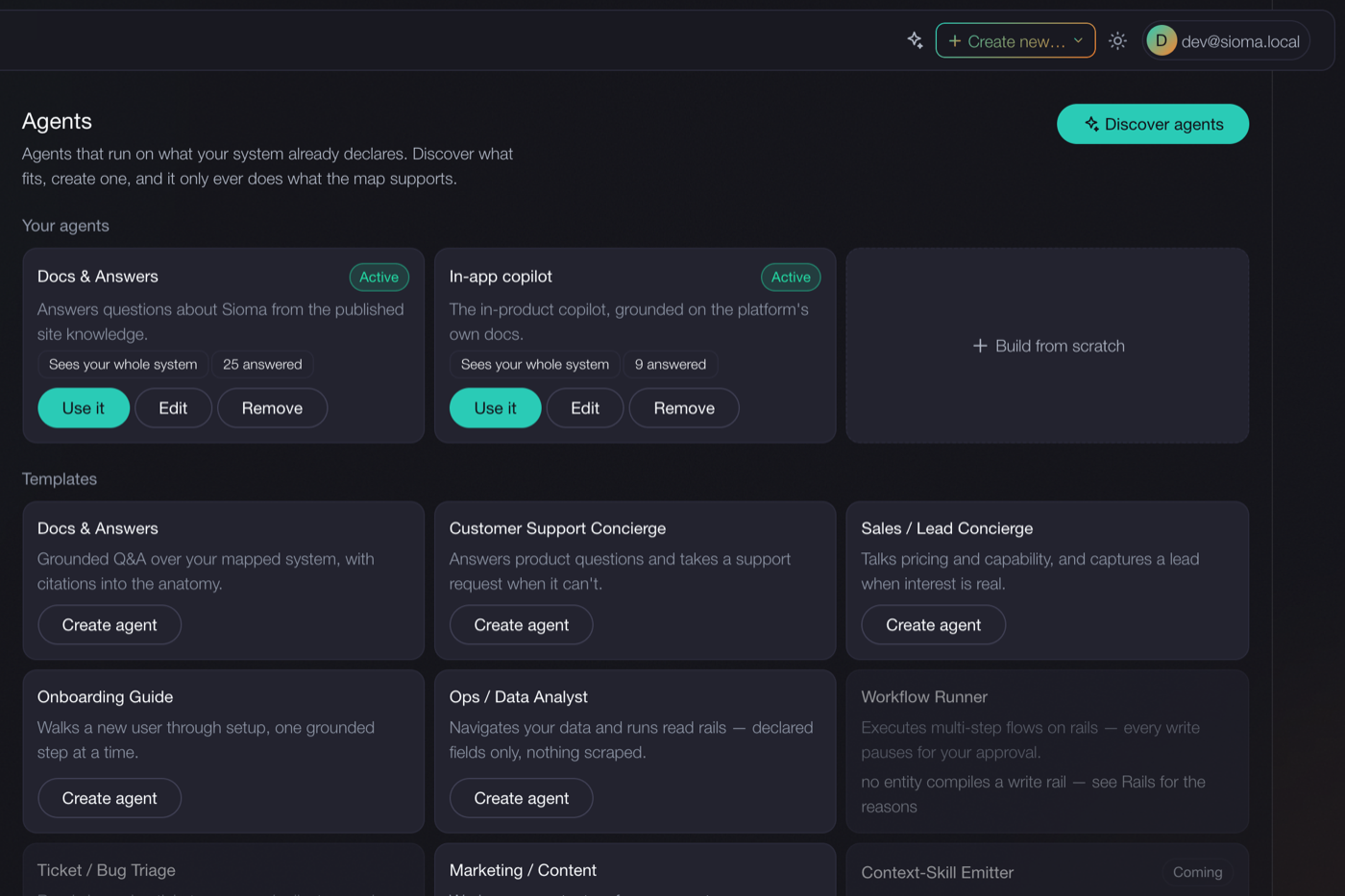
Step 3: create an agent#
Open the Agents page and create one from a template. Docs & Answers is the usual first. The agent is scoped to what you just published, and Sioma only offers agents your map can actually support, so nothing on that page is a promise your product cannot keep.
Step 4: paste the snippet, name your domain#
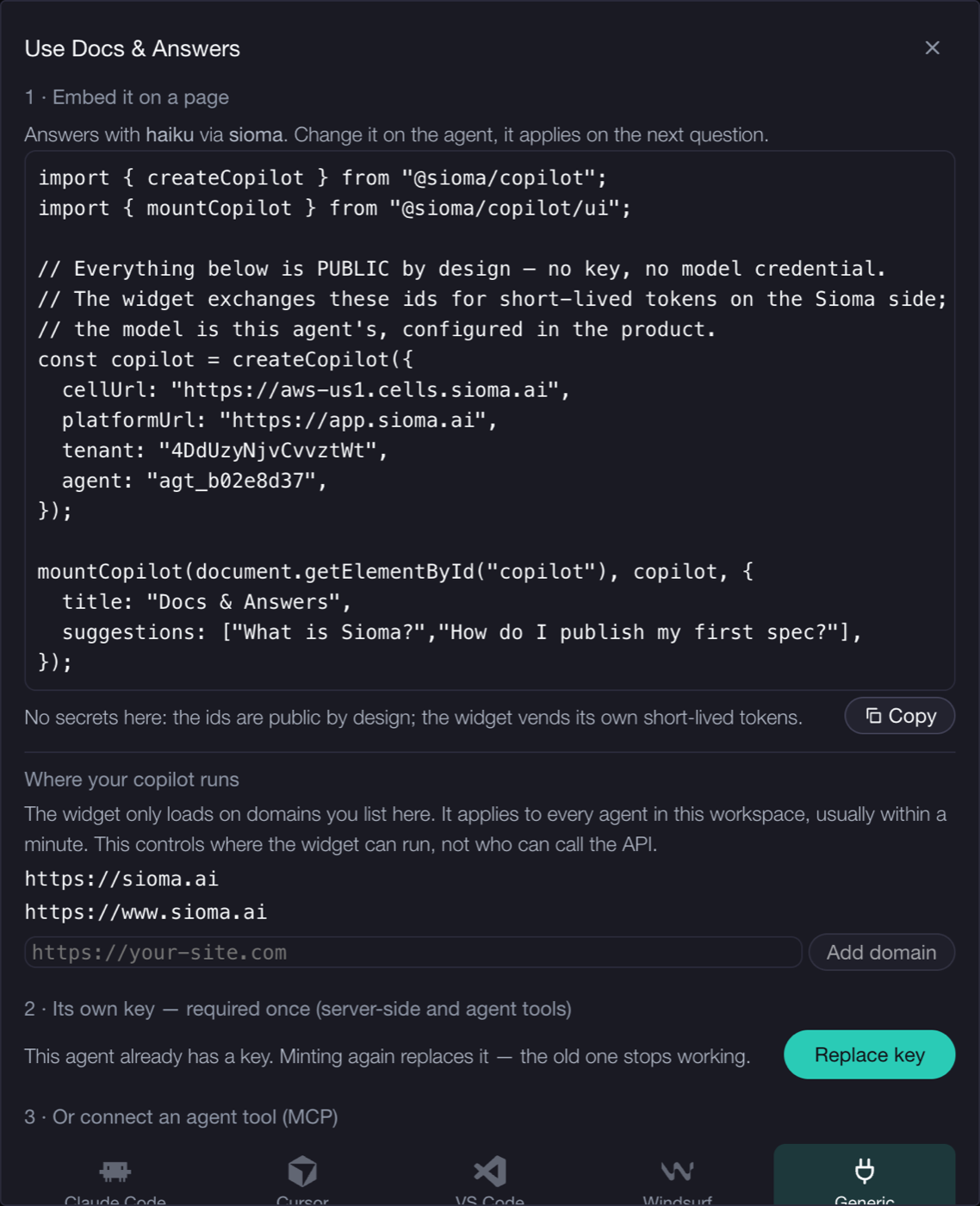
Creating the agent drops you straight into its Use panel, which prints your exact snippet:
import { createCopilot } from "@sioma/copilot";
import { mountCopilot } from "@sioma/copilot/ui";

const copilot = createCopilot({
  cellUrl: "https://aws-us1.cells.sioma.ai",
  platformUrl: "https://app.sioma.ai",
  tenant: "your-workspace-id",
  agent: "agt_1a2b3c4d",
});

mountCopilot(document.getElementById("copilot"), copilot);
npm install @sioma/copilot, paste, done. No API key. No model credential. No
backend of yours. The widget exchanges those two public ids for short-lived
tokens on the Sioma side, and the model comes from your workspace's provider,
so changing the model in the product changes the next answer with no redeploy.
Under the snippet, add your site's domain to Where your copilot runs. The widget loads there within a minute, and nowhere you did not list.
That is the whole setup, and it is roughly fifteen minutes if your spec is already in decent shape. The docs repeat every step with the exact API route behind it, for the reader whose agent is doing this.
Why it declines instead of inventing#
Every question is resolved against your published map, and the answer carries one of three outcomes:
- serve: a confident, grounded answer, citing the page it came from.
- ask: more than one thing fits, so you get the candidates, not a guess.
- none: nothing you published answers this, and it says so.
That third outcome is the difference between a demo and something you leave alone with prospects. A copilot that can say "I don't know that" is one you can put on a pricing page.
It works on questions people actually type#
We run this exact setup on this site. Measured on real visitor questions, same content before and after turning on matching by meaning: "what can you tell me about the rails?" used to return nothing useful, because no page shares that wording. Now the same question returns a grounded answer citing our flows and approvals page. Questions with typos and loose grammar land too, because visitors do not type like documentation.
And the honest part: broad questions like "what is sioma" come back as mid-confidence candidates rather than one polished pitch. We publish that because a copilot that only shows wins is marketing, and this one is a product.
Try it#
The widget on this page is the setup described above, running on our own published content. Ask it something specific. Then start your own — the docs have the commands.